 dola ai
dola ai GPT Image 2.5 for Images with Deliberate Art Direction
Turn a visual brief into something you can inspect, refine, and use. dola ai GPT Image 2.5 on H3 Max brings Flare and Sunburst into a workspace for creating images from text or editing an existing image. Give dola ai GPT Image 2.5 a clear subject, a considered composition, and one purpose for the finished picture.
Image workspace
Sample Image
 1 / 30
Introduction
What Is dola ai GPT Image 2.5?
dola ai GPT Image 2.5 is an OpenAI image model family with two named variants, Flare and Sunburst, supporting image generation and editing.
Two variants with distinct positioning
dola ai GPT Image 2.5 Flare is positioned for general image creation, while Sunburst emphasizes intricate detail and precision. Both have separate generation and editing interfaces. dola ai GPT Image 2.5 is therefore a family choice as well as a creative tool: the selected variant matters.
A practical workspace for visual decisions
H3 Max makes dola ai GPT Image 2.5 available for starting with words or working from an image you provide. Use the first route when the scene is still an idea and the second when something visible needs changing. dola ai GPT Image 2.5 can interpret your direction, but the final judgment remains yours: compare the result with the brief before treating it as finished.
How to use
How to Use dola ai GPT Image 2.5 on H3 Max
- PromptSTEP 1
Choose your starting point
Select dola ai GPT Image 2.5 and choose Flare or Sunburst. Start with text for a new scene, or select editing and provide the image you intend to change.
- ModelGPT Image 2.5 Flare1K1:1PromptSTEP 2
Write the visual assignment
Give dola ai GPT Image 2.5 a subject, composition, lighting direction, and intended use. For an edit, state what should change and what you want preserved.
- Detail
 STEP 3
Review before submitting
Check the available settings and displayed credits for your dola ai GPT Image 2.5 request. Resolve conflicting instructions before generating rather than relying on the result to settle them.
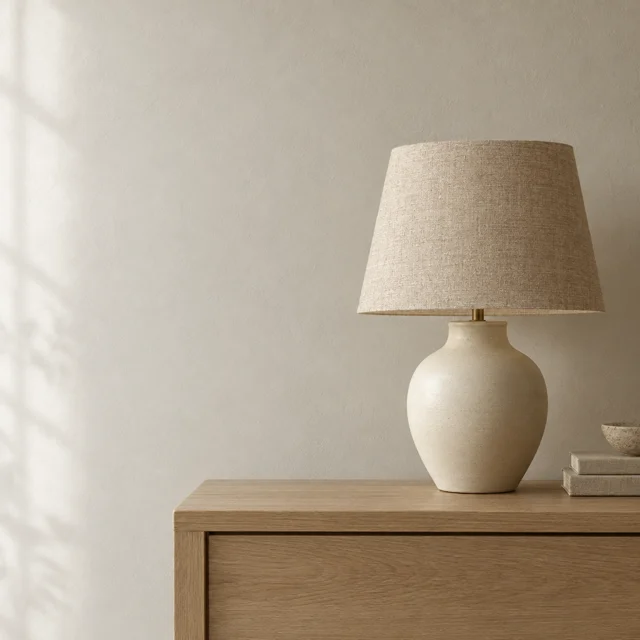
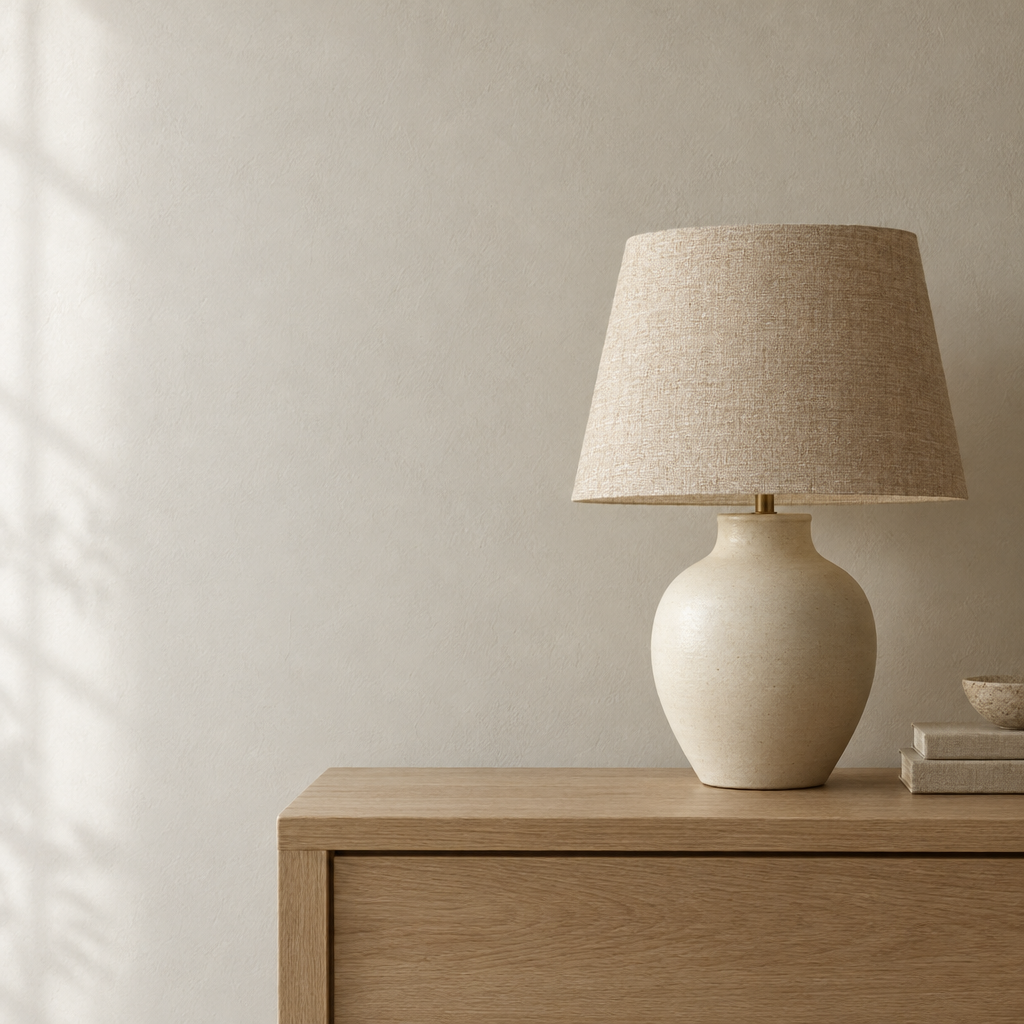
- Create an editorial photograph of an original ceramic table lamp on a pale oak console. The lamp has a warm ivory body, a woven natural linen shade, and a simple rounded silhouette. Position it on the right, leaving a quiet plaster wall on the left for later typography. Soft window light from the left, believable contact shadow, restrained neutral palette, no people, no visible words, no brand marks.DownloadSTEP 4
Inspect and refine
Compare the dola ai GPT Image 2.5 output with the original brief. Check fine detail, wording, and overall composition, then request a focused revision where it would improve the image.
Features
Choose a dola ai GPT Image 2.5 Variant Around the Assignment
Approach dola ai GPT Image 2.5 with a specific decision to make, rather than asking a variant name to define the whole project.
Give both options an intelligible brief
A useful dola ai GPT Image 2.5 comparison keeps the subject, framing, and intended destination consistent. Try a ceramic lamp against a quiet wall, with a visible fabric shade and soft side lighting. When comparing dola ai GPT Image 2.5 variants, judge the same details: shade structure, surface texture, and whether the lamp remains the focal point. Changing the entire prompt between attempts makes the comparison less informative.
Decide what deserves closer inspection
For an intricate dola ai GPT Image 2.5 illustration, write down the small elements that matter before generating. A decorative border, stitched seam, or repeated window pattern deserves a different review from a loose color study. Ask dola ai GPT Image 2.5 for the required detail, then inspect it rather than assuming that complexity equals quality.
Build dola ai GPT Image 2.5 Compositions Around a Clear Focal Point
Use dola ai GPT Image 2.5 to explore the arrangement before polishing decorative details that may not survive the final layout.
Describe relationships, not just objects
Tell dola ai GPT Image 2.5 what sits in front, what recedes, and where the viewer should look first. A cup beside a book is less specific than a low cup in the foreground with a closed book behind it. Add camera height and the direction of the light. This turns a list of ingredients into a visual arrangement you can evaluate.
Leave room for the surrounding design
A campaign image may need breathing space for a headline or interface. Ask dola ai GPT Image 2.5 to keep one side quiet instead of filling every corner with decoration. Describe the reserved area as part of the scene, such as a plain wall or uninterrupted tabletop.
Direct Light and Materials with dola ai GPT Image 2.5
dola ai GPT Image 2.5 prompts can describe how a surface should look, giving your review more concrete criteria than a general mood.
Make the material part of the brief
Describe brushed metal, unglazed clay, woven cotton, or translucent glass in terms of visible behavior. A broad soft reflection and a sharp highlight communicate different surfaces. With dola ai GPT Image 2.5, pair the material description with lighting that makes it readable.
Keep invented scenes separate from product evidence
For a real item, begin with an authorized photograph and explain which features must remain recognizable. dola ai GPT Image 2.5 editing is a way to request a changed setting or presentation, not evidence that a product has a different finish or construction. Inspect proportions, closures, labels, and contact shadows. A convincing surface should never replace an accurate representation of the item.
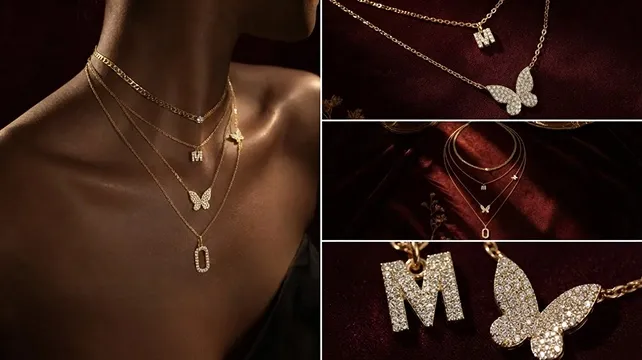
Give dola ai GPT Image 2.5 Text a Defined Place in the Image
Plan lettering as a compositional element when using dola ai GPT Image 2.5, especially when the image needs a short visible message.
Specify the exact words and their role
Write the requested wording in quotation marks and explain whether it belongs on a poster, package, or sign. Tell dola ai GPT Image 2.5 which line is dominant and which should remain secondary. A short exhibition title with generous spacing is a more focused assignment than several paragraphs of tiny copy.
Proofread dola ai GPT Image 2.5 lettering at delivery size
Read every generated letter at the intended viewing size. dola ai GPT Image 2.5 may produce an appealing arrangement while still changing a character, dropping a word, or adding unwanted text. Where wording must be exact, use the generated artwork as a visual foundation and add approved typography in a design editor.
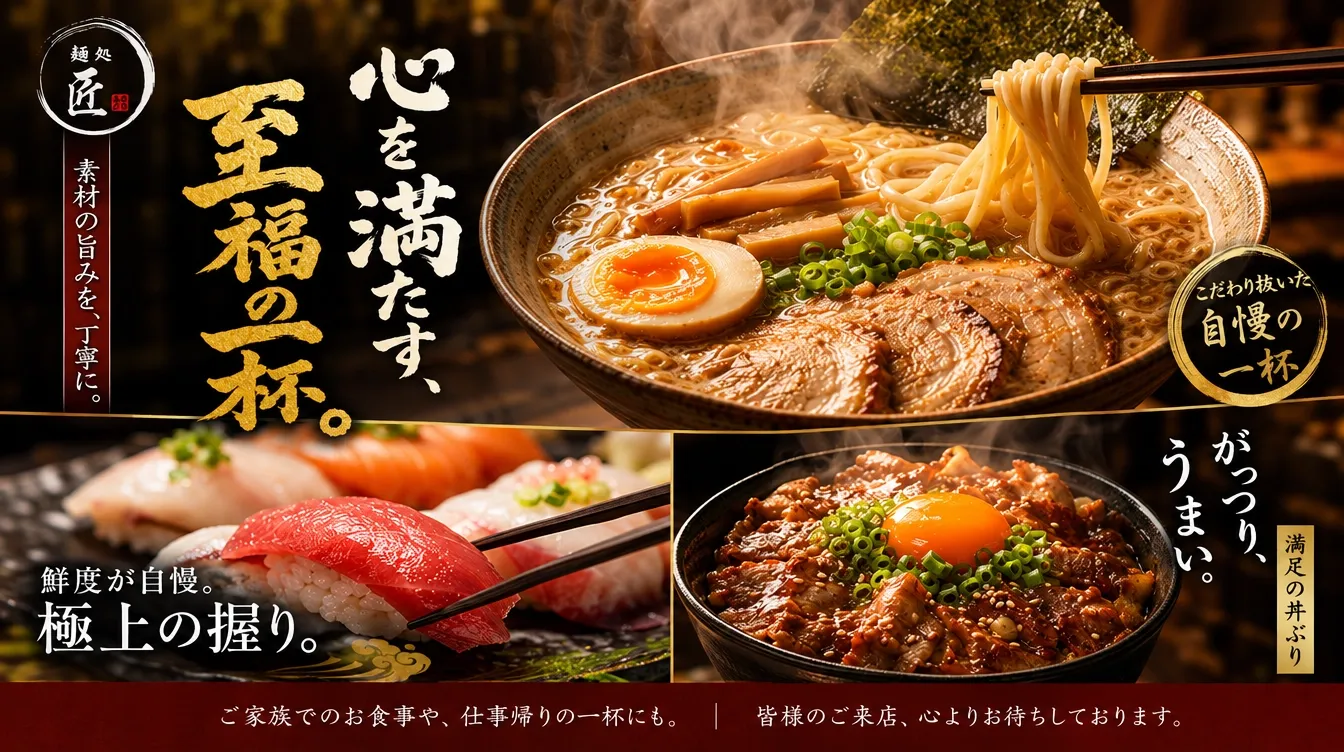
Refine dola ai GPT Image 2.5 Images Without Losing the Brief
A focused dola ai GPT Image 2.5 editing request makes the desired change easier to distinguish from details that should stay familiar.
Keep dola ai GPT Image 2.5 edits focused on the requested change
Begin the instruction with the edit: replace the patterned curtain with plain linen, soften a distracting reflection, or change the background color. Then list what should remain, such as the pose, camera angle, and object shape. dola ai GPT Image 2.5 receives a clearer task when these priorities are explicit. Treat preservation as a requirement to check, not an automatic guarantee.
Make each revision answer one question
Review the whole dola ai GPT Image 2.5 frame after every change, including areas outside the requested edit. dola ai GPT Image 2.5 can reinterpret surrounding details, so compare the new result with the image you intended to preserve. Stop when the picture meets its purpose, rather than accumulating revisions without a defined improvement.
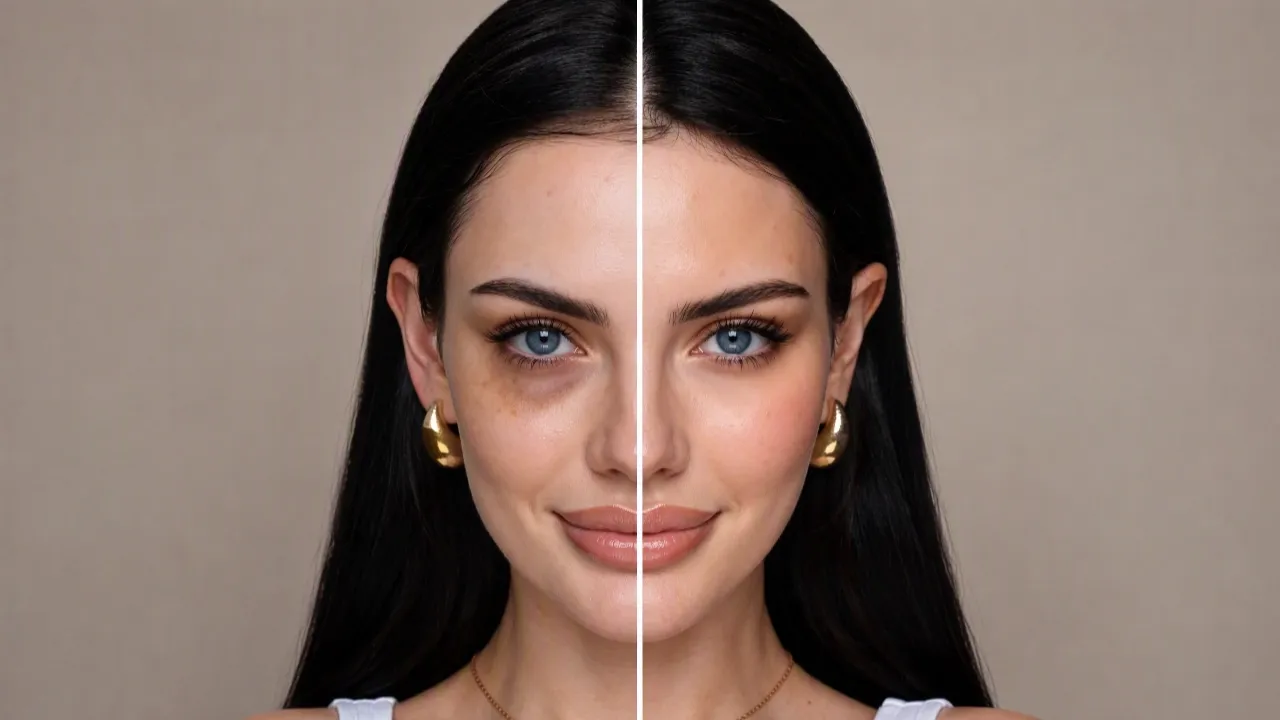
Example prompts
Text to image: a considered lamp study
Create an editorial photograph of an original ceramic table lamp on a pale oak console. The lamp has a warm ivory body, a woven natural linen shade, and a simple rounded silhouette. Position it on the right, leaving a quiet plaster wall on the left for later typography. Soft window light from the left, believable contact shadow, restrained neutral palette, no people, no visible words, no brand marks.
Text to image: a fictional exhibition poster
Design a poster concept for a fictional ceramics exhibition. The only visible words are "SHAPED BY HAND" in a large heading and "A CERAMICS EXHIBITION" beneath it. Place a single sculptural blue vessel below the lettering, on a warm off-white background. Use a clear visual hierarchy, generous margins, subtle paper texture, and simple directional light. Do not add dates, venues, sponsor logos, or additional text.
Image edit: replace a distracting backdrop
Use the uploaded product photograph as the visual reference. Replace only the busy background with a softly lit warm gray studio backdrop. Aim to retain the product silhouette, proportions, visible labels, surface finish, and camera angle. Keep a plausible contact shadow beneath the object. Do not add accessories, alter the packaging, introduce text, or change the apparent material. Keep the composition restrained and inspectable.
User reviews
dola ai video creator feedback.
dola ai creator reviews

I made a full character PV for my game with dola ai MiniMax H3 in one afternoon. The menu UI stayed readable in every frame and the character never went off-model. That used to cost me a contractor and three weeks.

We tested every dola ai AI video generator on the market for stylized work. H3 is the only one that held our anime style across cuts. We now use it for pitch reels and animatics on every project.

I uploaded four product photos and got a listing video with music and a voiceover the same day. My click-through rate on the new listings is up 38%. H3 even got the label text on my packaging right.

I ship five vertical videos a week for three brands. dola ai MiniMax H3 gets me from brief to draft in under an hour, with sound already synced. My old workflow needed a videographer and two review rounds.

The editing side is what sold me. A client wanted the background of an interview changed — I typed one sentence into dola ai MiniMax H3 and the lighting on the subject matched the new scene automatically.

I previsualized my entire short film in dola ai MiniMax H3 before we shot a single frame. Rack focus, match cuts, even the title cards — it understands director language, not just keywords.
dola ai MiniMax H3 Max Pricing and Credit Plans
Cancel anytime
Lite
50% off0.025 / credit
Billed $ yearly179· Save $179.8
Video Models



Image Models



- Includes dola ai MiniMax H3 and all premium models
- Up to 1 batch generation task
- Standard generation speed
- Standard generation success rate
- Standard customer support
- Commercial Use License
Standard
50% off0.017 / credit
Billed $ yearly299· Save $299.8
Video Models
Image Models
- Includes dola ai MiniMax H3 and all premium models
- Up to 4 batch generation tasks
- Priority processing speed
- High generation success rate
- Priority customer support
- Commercial Use License
Pro
50% off0.014 / credit
Billed $ yearly599· Save $599.8
Video Models
Image Models
- Includes dola ai MiniMax H3 and all premium models
- Up to 10 batch generation tasks
- Fastest generation speed
- High generation success rate
- Dedicated account manager
- Commercial Use License
Max
50% off0.012 / credit
Billed $ yearly1,199· Save $1,199.8
Video Models
Image Models
- Includes dola ai MiniMax H3 and all premium models
- Up to 10 batch generation tasks
- Fastest generation speed
- High generation success rate
- Dedicated account manager
- Commercial Use License
Pay safely and securely with





















FAQ
Frequently asked questions
Does dola ai GPT Image 2.5 include Flare and Sunburst?
Yes. H3 Max provides both named variants. Select the variant you intend to use and review its current workspace configuration before generating or editing an image.
Ca dola ai GPT Image 2.5 start from an uploaded image?
Yes. The editing workflow accepts image input alongside your instructions. Explain the desired change and identify the details you want retained, then check the complete result against the original.
Is dola ai GPT Image 2.5 Sunburst always the right choice?
There is no universal choice for every brief. Its precision-focused positioning does not replace evaluating the actual composition, detail, and usefulness of your result.
Will dola ai GPT Image 2.5 preserve every product detail?
No exact preservation guarantee should be assumed. Compare shape, branding, materials, and proportions with your authorized source photograph before using an edited image to represent a real item.
Ca dola ai GPT Image 2.5 create wording inside an image?
You can request visible text in the prompt. Keep it concise, provide exact spelling, and proofread the output. Add critical copy separately when precise typography is essential.
How are dola ai GPT Image 2.5 credits shown?
Check the credits displayed in the H3 Max workspace for your selected configuration before submitting. Review that figure again whenever you change the setup or request another generation.
How do I adapt a dola ai GPT Image 2.5 example prompt?
Replace the subject, setting, and visual priorities with details relevant to your project. For an editing prompt, supply your own authorized image and explain which visible features should remain.
CTA
Give dola ai GPT Image 2.5 a Brief Worth Developing
Choose Flare or Sunburst, define the image you need, and check the displayed credits. Start your next dola ai GPT Image 2.5 creation on H3 Max with a clear direction and a useful standard for the result.
Open the Image Workspace